
 xxcoffee:
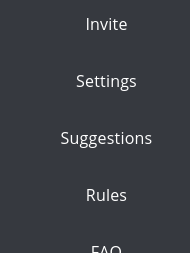
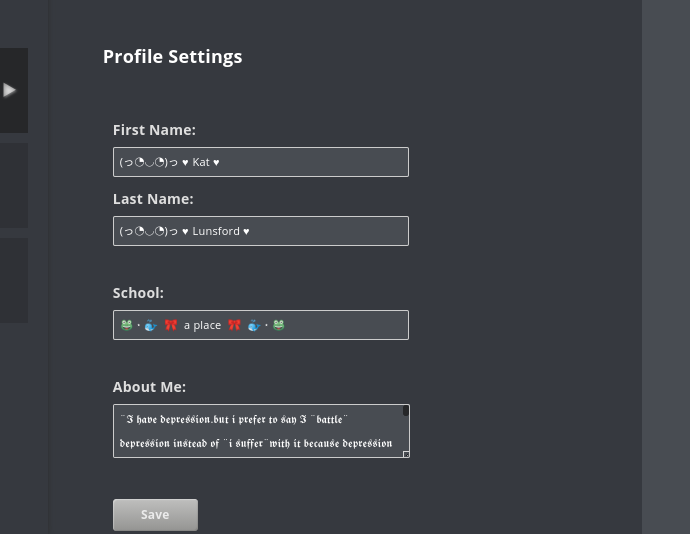
Ight for new people or people that dont know how to do things here.When ur doing ur bio u go to the 3 lines at the top left of the page click it go to settings and then u can do the stuff there.When u wanna add a pfp u have to use a email that u can verify and then go to ur gmail and u shouls see a email and then do all of that and then click ur pic(the one QC putts when u join).to se all ur text at one time at the top there is a mail boxs click it and then at the bottom hit View All Messages and then u can see them all at one time (this is only for pc users) if mobile its hard for me to explain that but its kinda the same just a lil diffrent hope this helps

 Brazyxkapalot:
imma OG
 xxcoffee:
hit it then at the bottome right view all messages
 lizzie777:
that was wonderful explaining😊😃👏😜👍💖💕❤😁😉😎😘😍
 hep:
hep:
I don’t have settings...
xxcoffee:
\(\color{#0cbb34}{\text{Originally Posted by}}\) @hep I don’t have settings... \(\color{#0cbb34}{\text{End of Quote}}\) u should but are u on a phone or what
 Imagine:
he maybe on a phone
xxcoffee:
\(\color{#0cbb34}{\text{Originally Posted by}}\) @Imagine he maybe on a phone \(\color{#0cbb34}{\text{End of Quote}}\) ya thats still kinda the same i was on mine yesterday b4 i got it taken now im on my pc
Imagine:
i have always been on PC
xxcoffee:
ya
xxcoffee:
imma explain it the best way i can and see if that helps
xxcoffee:
ight this is for mobile users cuz i forgot about it yesterday. if u are mobile if u look at the top its still kinda the same u have the 3 lines at the top if u tap it there should be settings u might have to go down a little but it should be there then u tap it . The rest of it i cant really explain for mobile cuz its hard
 Rigo:
Rigo:
its not
 nalaynana:
for mobile user's they have to install the app in order to get access to those things
xxcoffee:
\(\color{#0cbb34}{\text{Originally Posted by}}\) @nalaynana for mobile user's they have to install the app in order to get access to those things \(\color{#0cbb34}{\text{End of Quote}}\) no i did it i was on it yesterday and i can get it i dont have the app
 Timmyspu:
ok thx for the information @xxcoffee
 LazerLazer:
ok thanks
 Ashoka:
ty for the info!
xxcoffee:
\(\color{#0cbb34}{\text{Originally Posted by}}\) @Timmyspu ok thx for the information @xxcoffee \(\color{#0cbb34}{\text{End of Quote}}\) np
xxcoffee:
\(\color{#0cbb34}{\text{Originally Posted by}}\) @LazerLazer ok thanks \(\color{#0cbb34}{\text{End of Quote}}\) np
xxcoffee:
\(\color{#0cbb34}{\text{Originally Posted by}}\) @Ashoka ty for the info! \(\color{#0cbb34}{\text{End of Quote}}\) np
xxcoffee:
\(\color{#0cbb34}{\text{Originally Posted by}}\) @PiperAngelic OMG FINALLY A CAT HAS ARRIVED \(\color{#0cbb34}{\text{End of Quote}}\) huh
 xxdogloverxx:
thx sissy
xxcoffee:
\(\color{#0cbb34}{\text{Originally Posted by}}\) @223s thank you @xxcoffee \(\color{#0cbb34}{\text{End of Quote}}\) np
Ruthy:
Thanks
Lazor:
Thank you
xxcoffee:
\(\color{#0cbb34}{\text{Originally Posted by}}\) @Lazor Thank you \(\color{#0cbb34}{\text{End of Quote}}\) np
nalaynana:
\(\color{#0cbb34}{\text{Originally Posted by}}\) @xxcoffee \(\color{#0cbb34}{\text{Originally Posted by}}\) @nalaynana for mobile user's they have to install the app in order to get access to those things \(\color{#0cbb34}{\text{End of Quote}}\) no i did it i was on it yesterday and i can get it i dont have the app \(\color{#0cbb34}{\text{End of Quote}}\) oh thats what i had to do :|
xxcoffee:
\(\color{#0cbb34}{\text{Originally Posted by}}\) @nalaynana \(\color{#0cbb34}{\text{Originally Posted by}}\) @xxcoffee \(\color{#0cbb34}{\text{Originally Posted by}}\) @nalaynana for mobile user's they have to install the app in order to get access to those things \(\color{#0cbb34}{\text{End of Quote}}\) no i did it i was on it yesterday and i can get it i dont have the app \(\color{#0cbb34}{\text{End of Quote}}\) oh thats what i had to do :| \(\color{#0cbb34}{\text{End of Quote}}\) ya u might have to do that
xxcoffee:
\(\color{#0cbb34}{\text{Originally Posted by}}\) @xxcoffee \(\color{#0cbb34}{\text{Originally Posted by}}\) @nalaynana \(\color{#0cbb34}{\text{Originally Posted by}}\) @xxcoffee \(\color{#0cbb34}{\text{Originally Posted by}}\) @nalaynana for mobile user's they have to install the app in order to get access to those things \(\color{#0cbb34}{\text{End of Quote}}\) no i did it i was on it yesterday and i can get it i dont have the app \(\color{#0cbb34}{\text{End of Quote}}\) oh thats what i had to do :| \(\color{#0cbb34}{\text{End of Quote}}\) ya u might have to do that \(\color{#0cbb34}{\text{End of Quote}}\) oof ya
Join our real-time social learning platform and learn together with your friends!
VERNEISH:
Two objects are moving along separate linear paths where each path is described by position, d, and time, t.

 Maci:
what are the best stock apps for people who want to start investing?
Maci:
what are the best stock apps for people who want to start investing?
 Twaylor:
genuienly how do i get better self control i keep watcing youtube and theres this
Twaylor:
genuienly how do i get better self control i keep watcing youtube and theres this
 IzzyCookie:
|dw:1792074056138:dw| Uhm, I don't know where to ask this, but I'm in college welding at my community college, and I need help learning vertical welding for
IzzyCookie:
|dw:1792074056138:dw| Uhm, I don't know where to ask this, but I'm in college welding at my community college, and I need help learning vertical welding for

 thehearken:
not sure if this is considered spam, im sorry if it is, but does anyone have tips
thehearken:
not sure if this is considered spam, im sorry if it is, but does anyone have tips