
 kittybasil:
How to use QC (QuestionCove): a tutorial CLICK TO LEARN!
kittybasil:
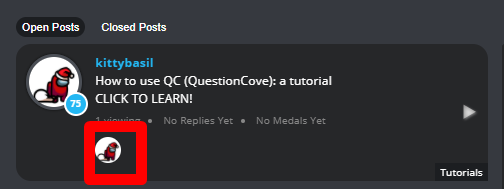
Firstly, you will see your icon on your question/post in the "Open Posts" timeline when you are viewing it. If someone else is on the question/post as well, you will see their icon next to yours.
 kittybasil:
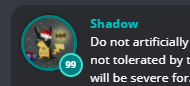
Second, if a moderator individual appears in your question/post thread, their icon will be bordered by a teal color. This is to show that they're a mod; see below picture for example. Ambassadors have a little "A" in a circle next to their username.
 kittybasil:
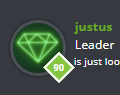
You can also achieve contributor/support status if you donate to QC! Here is an example of a supporter, with their SS icon being a diamond/rhombus:
 kittybasil:
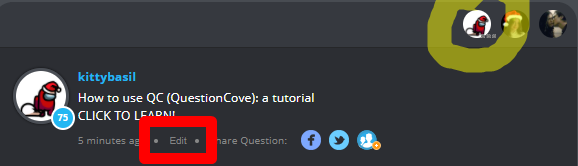
Now on to the actual question stuff. There is an edit function in the post in case you want to add or change what you posted (red box). Click "Submit" once you are done changing the content. When someone is typing in the question/post thread, you will see dots in the bottom right corner of their icon that shows they are currently writing (the highlighted part). This is the same thing as on Facebook Messenger and other chat clients.
 kittybasil:
Did somebody give you a good answer on your question, or you're on someone else's question and a person gave a good answer? Give them a medal! Click the "Best Response" button (see pic) and that person will automatically get a +1 from you. Please note that sometimes the site glitches and it looks like you haven't given a medal yet, or that you can give multiple medals. That is not true, you can only medal one person per question post. This is why we prefer to ask questions separately so that people can all get medals fairly. 😊

 Imagine:
Hello, and Welcome to Question Cove. This is a website for getting help with questions or even answering questions as well. There is an "All Subjects" Chat feature in the bottom right-hand corner, that can help discuss a question If needed. There is as well a "Miscellaneous" Chat feature in the bottom right-hand corner, which can talk about things that are off-topic. I know that you will make sure you know the rules, but in case you don't there is a portion that you can read the rules, www.questioncove.com/rules Make sure If you want to change the Profile Picture you have verified your email by clicking the link that is provided in the email (Email may be located in SPAM) Another Frequently asked question is: How can I make it Dark Mode? You can make it dark mode by clicking the three lines located at the top left corner and going down towards your username and clicking the Switch next to your name. How can I Direct Message People? Well, you're going to see the Mail logo on the top-left hand corner of your screen and click "New Message" You type the Username of the person you are trying to reach and write on... "i can't see the miscellaneous chat": All you do is start studying the Miscellaneous subject from the subject selection list on the menu or click on an open question under that subject. :) I am welcoming you to Question Cove, and I hope you enjoy the website that these wonderful people have created!
kittybasil:
Wait, people ask where the Misc chat is? xD
 darkknight:
you have to join the subject
Imagine:
Indeed, they do ask where "misc chat is". The reason I added that extra portion so I don't get a warning.
kittybasil:
A warning?! For what? That comment was perfectly fine 🤔
Imagine:
For it being a short comment, they can give you a warning/suspension for it 0-0
kittybasil:
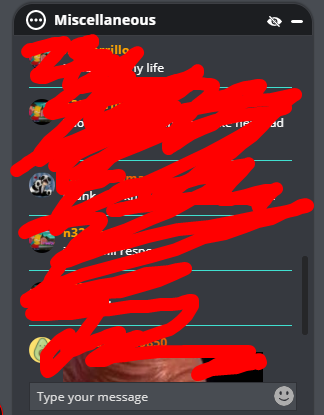
Oh wait. no, that's not where you go for Misc chat. Don't you mean this (pic)?
 Imagine:
Yes, The Misc chat, Eiwoh added that because people will ask where Misc chat is located.
kittybasil:
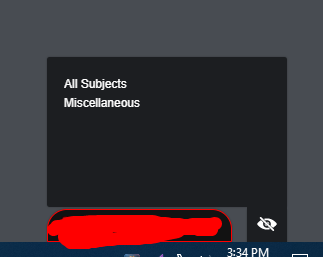
But you said Misc subject haha. The Misc chat is in the bottom right corner here
 Imagine:
I know, but for the misc chat to pop up, you need to go to go study the misc subject.
kittybasil:
UPDATES on how to answer posts: DO NOT QUOTE OTHER SITES when you are answering questions. This includes Brainly (which, if I recall correctly, was what absorbed OS after it was discontinued. Veterans know what I mean). If you can't respond with anything other than "The answer is B" then don't answer. Firstly, we can't verify if your answer is correct, and secondly that doesn't help the person who asked for help in the first place. You know that if you go to tutoring sessions IRL nobody is going to tell you the answer like that. We need EXPLANATIONS.
kittybasil:
Forgot about this one as well. You have to explain why a choice is wrong or you've done nothing to teach that person. For example, if you check my recent answers, you'll see that I both verify the student's answer as correct but ALSO explain why the other answers are wrong. And explain why the correct answer is... well, correct. Just because they're right doesn't mean they know WHY it's right, so you should still explain. Or at least link them to a source on the material (not another site, btw) if you don't know how to explain. Cheers! - Kitt
kittybasil:
Also neglected to add this, but there's no need to quote-tag someone on a post they've already replied to. As far as I know, the second you reply to a post/thread you get auto-subscribed to it. That means each and every reply will notify any user who's subscribed! (I did notice they took off the double-notification bug where it tells you someone replied, followed by telling you that someone quoted you.)
kittybasil:
If there are any others feel free to let me know!
kittybasil:
Huh. I forgot to put how to enable Dark Mode.
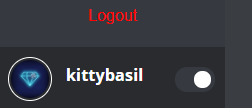
Here's how to do it: 1) Go to the 3-lines thing on the left hand side. Top corner of the screen - click that. 2) At the bottom you will see your username under the red "Logout" option. Do you see a switch next to your username? Click that switch. 3) Congrats! You are now in dark mode. See the pic for what I mean by the switch.
 kittybasil:
Also of note: if you choose to sub to the site, you will get to use animated GIFs in your profile AND a custom nickname/caption thing!
kittybasil:
No responses pls, this will get super spammy if it keeps going
kittybasil:
How to use QC continued:
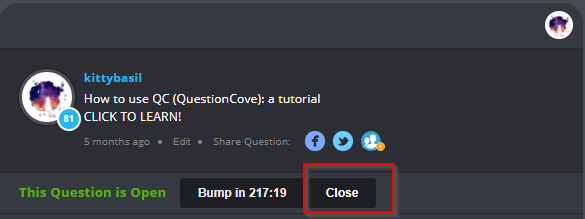
When you are done with a post because it has been answered or you want to start again (since editing is currently not working at the time of my writing this comment), just click the "Close" (see picture below) button to close the question and open a new one!
 kittybasil:
to remove comments, please click this in the bottom right corner of your comment.
 kittybasil:
DO NOT RESPOND TO THIS POST
 Jayidc:
Okay
kittybasil:
 jackiejackiejack:
is there like not already a qc tutorial in place-
 TaleighaCutie:
ok, thx
 ariankaflopp:
lol
 Ava1:
Ava1:
Thanks
 MaxTon:
good job
Join our real-time social learning platform and learn together with your friends!
 VERNEISH:
Two objects are moving along separate linear paths where each path is described by position, d, and time, t.
VERNEISH:
Two objects are moving along separate linear paths where each path is described by position, d, and time, t.

 Maci:
what are the best stock apps for people who want to start investing?
Maci:
what are the best stock apps for people who want to start investing?
 Twaylor:
genuienly how do i get better self control i keep watcing youtube and theres this
Twaylor:
genuienly how do i get better self control i keep watcing youtube and theres this
 IzzyCookie:
|dw:1792074056138:dw| Uhm, I don't know where to ask this, but I'm in college welding at my community college, and I need help learning vertical welding for
IzzyCookie:
|dw:1792074056138:dw| Uhm, I don't know where to ask this, but I'm in college welding at my community college, and I need help learning vertical welding for

 thehearken:
not sure if this is considered spam, im sorry if it is, but does anyone have tips
thehearken:
not sure if this is considered spam, im sorry if it is, but does anyone have tips