
 xxDeppressionxx:
How to use theme creator? Go to the three lines on the top left corner then click theme creator after that you click basic style then click the background, after that you go to where it says image then you put URL( ) but put your image link inside of the parenthesis and pick whatever way you want to make your image it can even be a Gif.






 Trickjoker:
Thank
xxDeppressionxx:
you have to copy a link to a picture first then put the link into the parenthesis
 karissafrazier:
@nishio
xxDeppressionxx:
but a picture
xxDeppressionxx:
can you guys please delete your comments.
Trickjoker:
It won't work
karissafrazier:
karissafrazier:
i tried to get like a demon background to match my pfp but it wouldn't work
 Rylee88:
Same ive done it 3 times
xxDeppressionxx:
dm me your pw and the picture so i can help you
Trickjoker:
ok
xxDeppressionxx:
then you can change it after words
 itsmehjay:
Rylee88:
Everyone? XD
 Extrinix:
Incorrect, it's `url(' ')` not `url( )`
Trickjoker:
my hot zerotwo pic wont go through :(
Extrinix:
send me the link to it in dms
Trickjoker:
k
Rylee88:
Mine wont work either
Extrinix:
you have to do url(' ') with the link inside, like trickjoker's was: url('https://i.ytimg.com/vi/Nplac9le_do/maxresdefault.jpg')
itsmehjay:
Yeah it does work I tried it myself, thxx
Rylee88:
??
Rylee88:
HOW?!?
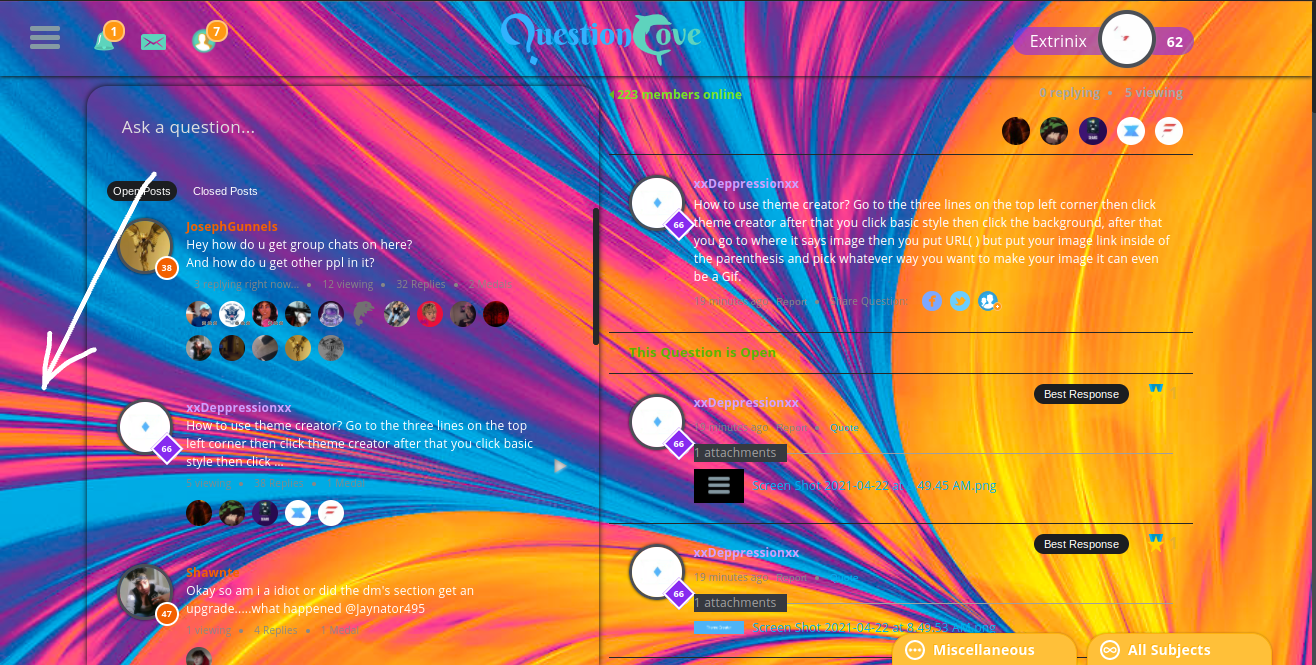 Extrinix:
Click in the area listed by the arrow.
Extrinix:
and then do the image url
Rylee88:
I know but it wont work
 Rylee88:
')
Extrinix:
you must have the image link itself, not the image file
Rylee88:
How do i do that?
Extrinix:
best suggestion is to send the photo in a dm and copy the file address from there
Trickjoker:
k
xxDeppressionxx:
it'll be easier for me to do it for you
xxDeppressionxx:
if you do not understand me explaining it to you.
Extrinix:
I would highly suggest not giving out your psw.
 Astrid1:
When we do this, and if we do it correct, when we have the url in, will the backround pop up? Or will we have to save it and then see?
Extrinix:
it should show up at the point when you add ') to the end of it
Astrid1:
I'm still trying an it still ain't working.
Rylee88:
It only woks whne I have the 3 lines open
Rylee88:
@extrinix
Rylee88:
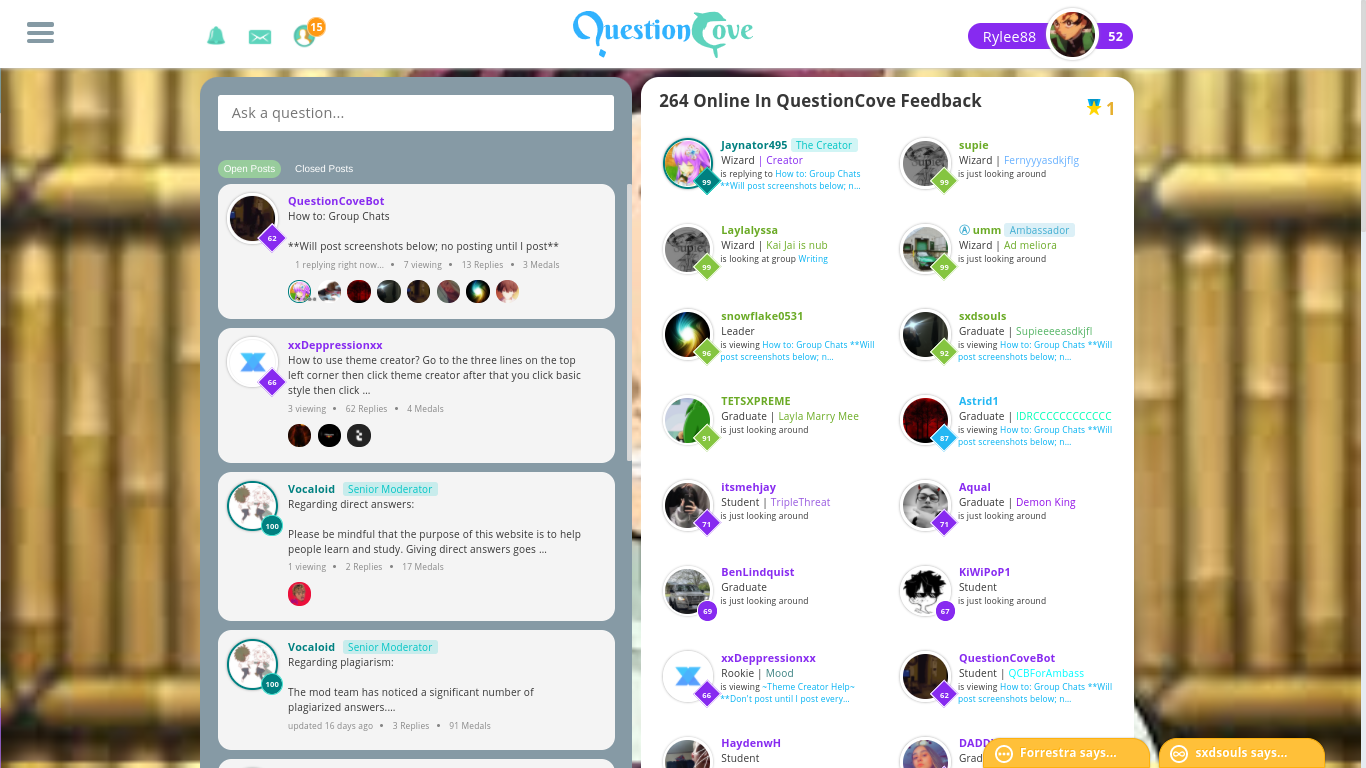
Is it supposed to look like this?
 itsmehjay:
I tried it and it works, if you want me to help you peeps idm u-u
Rylee88:
Yes pls
itsmehjay:
Ok dm me
Extrinix:
You must close the three lined menu before you can add in a background.
karissafrazier:
@itachiuchiha
karissafrazier:
@itachiuchiha
Join our real-time social learning platform and learn together with your friends!
 VERNEISH:
Two objects are moving along separate linear paths where each path is described by position, d, and time, t.
VERNEISH:
Two objects are moving along separate linear paths where each path is described by position, d, and time, t.

 Maci:
what are the best stock apps for people who want to start investing?
Maci:
what are the best stock apps for people who want to start investing?
 Twaylor:
genuienly how do i get better self control i keep watcing youtube and theres this
Twaylor:
genuienly how do i get better self control i keep watcing youtube and theres this
 IzzyCookie:
|dw:1792074056138:dw| Uhm, I don't know where to ask this, but I'm in college welding at my community college, and I need help learning vertical welding for
IzzyCookie:
|dw:1792074056138:dw| Uhm, I don't know where to ask this, but I'm in college welding at my community college, and I need help learning vertical welding for

 thehearken:
not sure if this is considered spam, im sorry if it is, but does anyone have tips
thehearken:
not sure if this is considered spam, im sorry if it is, but does anyone have tips