
 Aratox:
I want to run a Selenium ChromeDriver on Replit which can run several [Chrome] extensions. I believe I've found the right packages (a combination of Selenium and ngrok) to run the headless browser, however I'm not sure how to download the .crx files for the Chrome extensions (this just downloads the extensions on my end). Can anyone help? (I'd also like help setting up the extensions within the code, I'ven't worked with this before lol)
 Lexxie:
.....
Aratox:
@ultrilliam @curriful @extrinix
 Hero:
Hero:
Ask this question on Replit's Discord Server
Aratox:
Hero:
Always start with Reddit
 Evyleafs:
Lmao, didn´t understand half the things said. other than ¨I want to run¨🥲
Aratox:
Evyleafs:
Uh-huhhh, thanks, helpful =]
Evyleafs:
You approve it yet tho?
Aratox:
Evyleafs:
Approving the extensions- wait hold on- wy on? Device wise
Aratox:
Evyleafs:
Ah, I see. mb
Evyleafs:
I was thinkin u meant smth else
 ihy:
ihy:
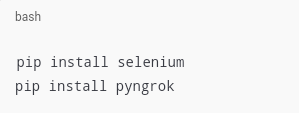
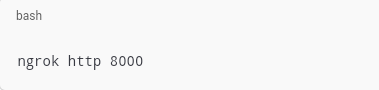
Step 1: Download the .crx files Find the Extension: Go to the Chrome Web Store and find the extension you want. Use a CRX Downloader: You can use online tools like "Chrome Extension Downloader" to download the .crx file. Simply enter the URL of the extension and download the file. Step 2: Set Up Replit Create a New Replit: Start a new Python or Node.js Replit, depending on your preference. Install Dependencies: Ensure you have selenium and ngrok installed. You can add these in the package manager. Step 3: Upload the .crx Files Upload the .crx files: In Replit, you can upload the downloaded .crx files by using the upload button in the file explorer. Step 4: Set Up ChromeDriver with Extensions Step 5: Run ngrok If you're using ngrok to expose your local server, you can set it up in your Replit environment. Start it by running: The screenshots for the python code, and an example of how to configure Selenium with ChromeDriver to load extensions, AND here the ngrok code.
 Aratox:
lol the GPT program "Step 5" below 💀
ihy:
Nah fr though lol.
 FaGG0t:
can u spam so when i come back its 1000+ over?
 ykbatman:
bro what..
ykbatman:
my brain hurts
ykbatman:
i couldnt even finish reading all dat
 Spectrum:
You're trying to bypass your school firewall, aren't you?
Join our real-time social learning platform and learn together with your friends!
VERNEISH:
Two objects are moving along separate linear paths where each path is described by position, d, and time, t.

 Maci:
what are the best stock apps for people who want to start investing?
Maci:
what are the best stock apps for people who want to start investing?
 Twaylor:
genuienly how do i get better self control i keep watcing youtube and theres this
Twaylor:
genuienly how do i get better self control i keep watcing youtube and theres this
 IzzyCookie:
|dw:1792074056138:dw| Uhm, I don't know where to ask this, but I'm in college welding at my community college, and I need help learning vertical welding for
IzzyCookie:
|dw:1792074056138:dw| Uhm, I don't know where to ask this, but I'm in college welding at my community college, and I need help learning vertical welding for

 thehearken:
not sure if this is considered spam, im sorry if it is, but does anyone have tips
thehearken:
not sure if this is considered spam, im sorry if it is, but does anyone have tips