
 rootbeer003:
Excel help
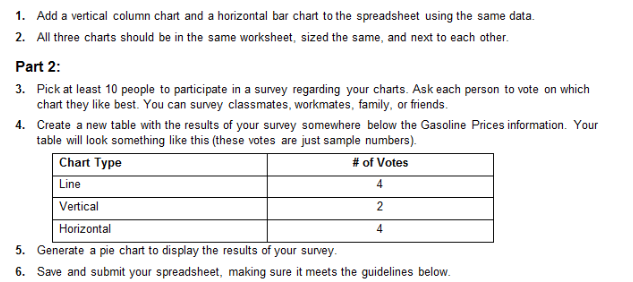
 rootbeer003:
@Ultrilliam
 Ultrilliam:
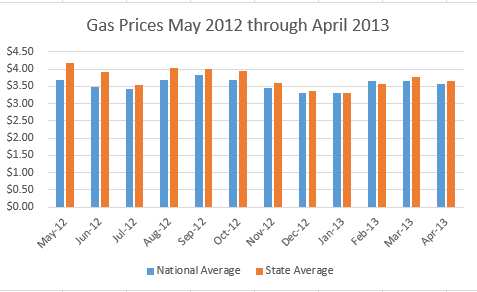
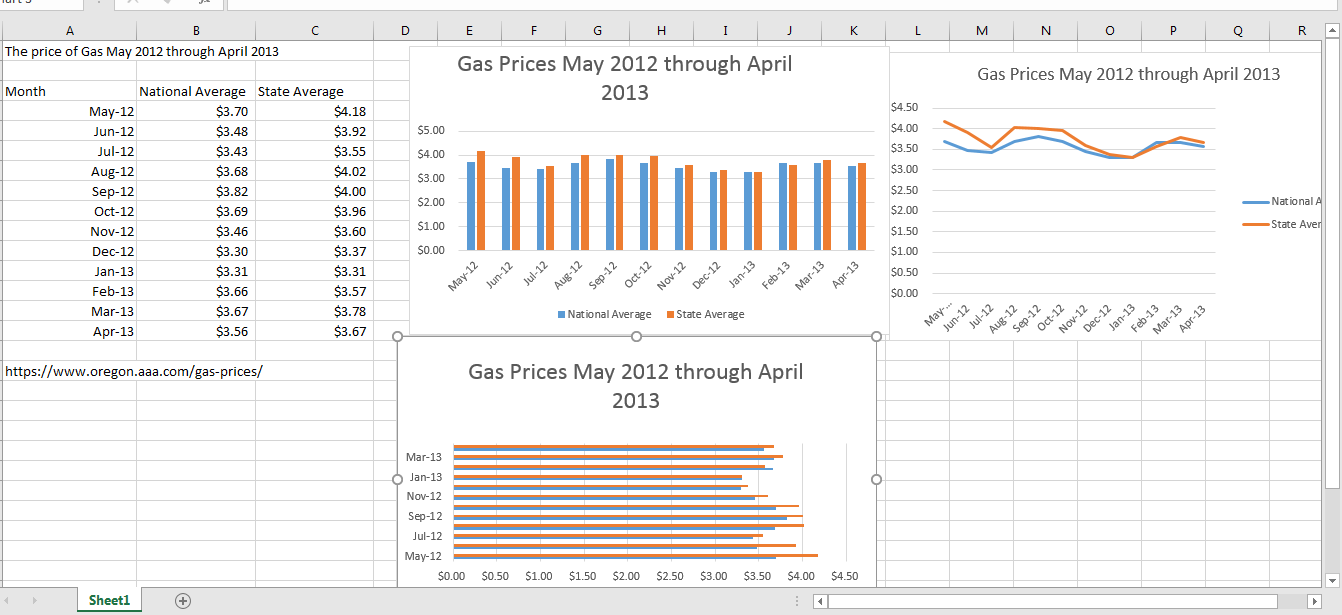
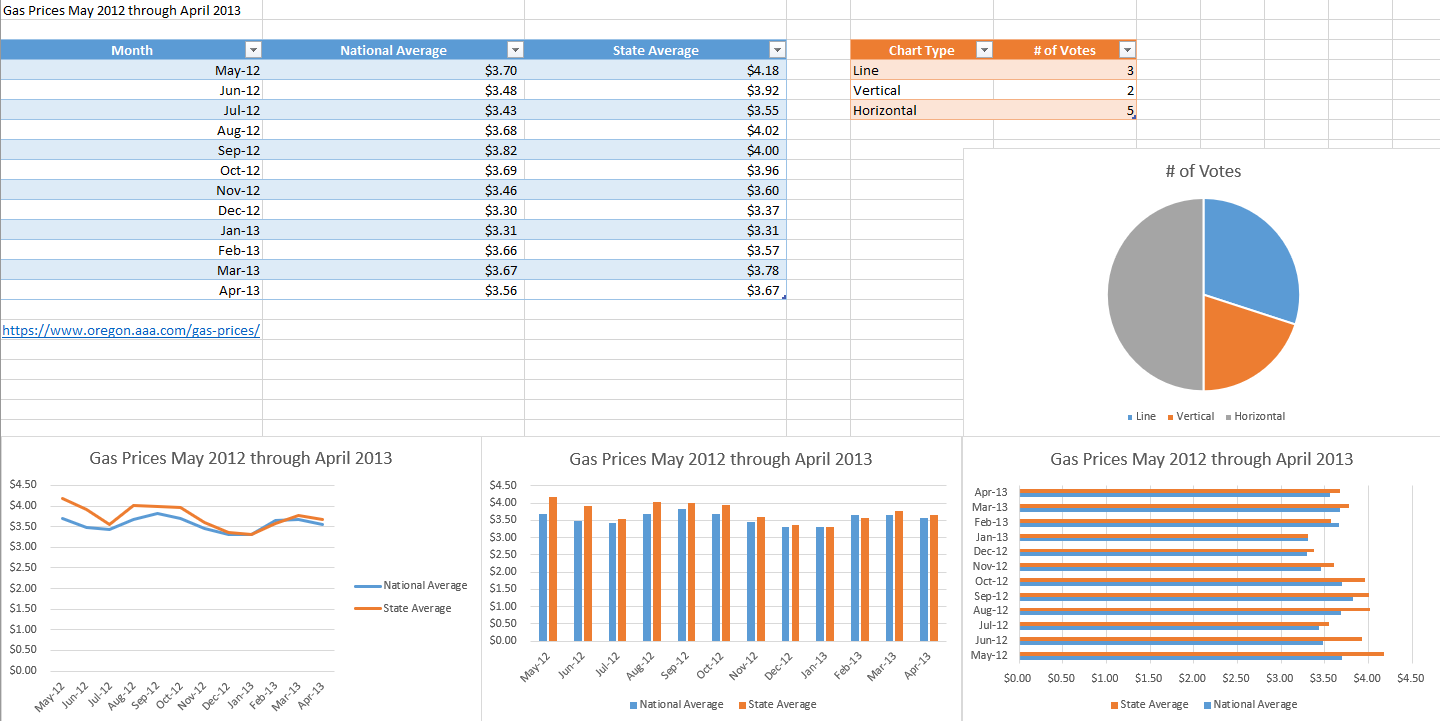
Sorry, didn't see this until now. Go to the insert tab on excel, select the data from the previous assignment (A3-C15) and hit "recommend charts" You should see a clustered column, choose that one.
 Ultrilliam:
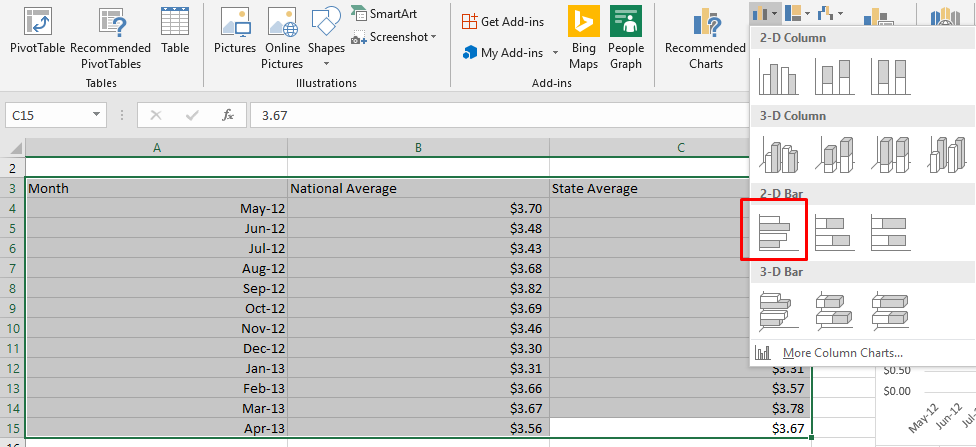
Don't forgot to change the name of the chart. For the next graph go to insert again, select your data, and next to recommend charts you should see something resembling a bar graph, click that (it's a small icon) and on the 2D bar charts, choose the clustered bar one (should be the first one)
 Ultrilliam:
@rootbeer003
 Ultrilliam:
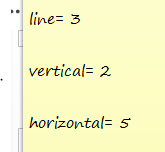
The first part of part 2 seems self-explanatory
Ultrilliam:
So I suppose lemme know when you have your votes
 rootbeer003:
@Ultrilliam
Ultrilliam:
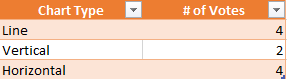
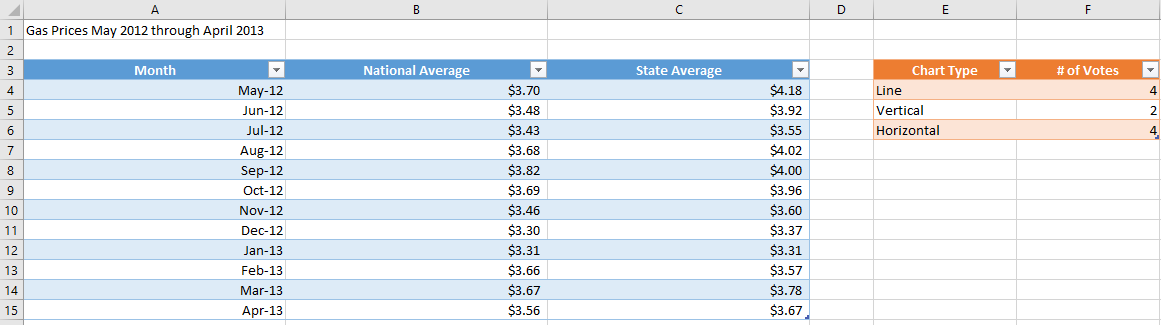
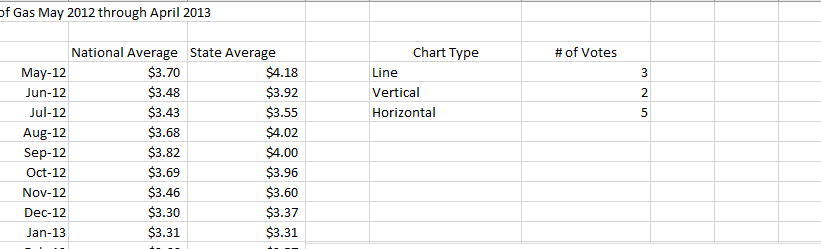
Now, next to where we previously had data lets make a table out of that, in columns E and F, and starting at row 3, put the data there like this (coloring will come after this)
 rootbeer003:
can u show where i should put that
 Ultrilliam:
Perfect, now select the data of the first table, (A3-C15) then go back to the insert tab and hit "table" do the same for the other table (but choose a different color) This isn't actually required but makes it look a bit nicer
Ultrilliam:
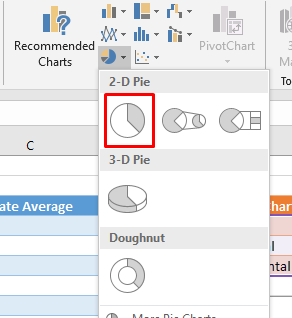
If you want to just skip that, next off go to insert and we're going to insert a pie graph
 rootbeer003:
not sure how to make the second table a different color
Ultrilliam:
At the very top you should see different table styles, if you hover over them it will show how it will look if you clicked it/applied it

 Ultrilliam:
Ah, you deselected the table. Click any of the cells in the table and you should see a new tab at the very top called "design" with "table tools" above it
rootbeer003:
okay got it
Ultrilliam:
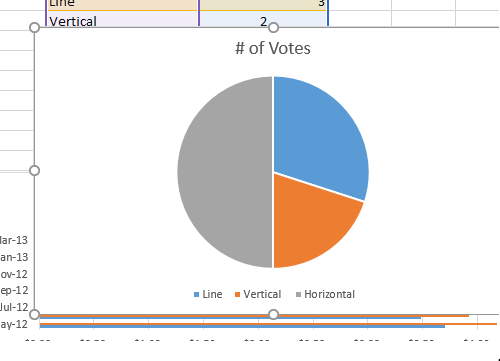
Do you have the pie graph as well or no?
 Ultrilliam:
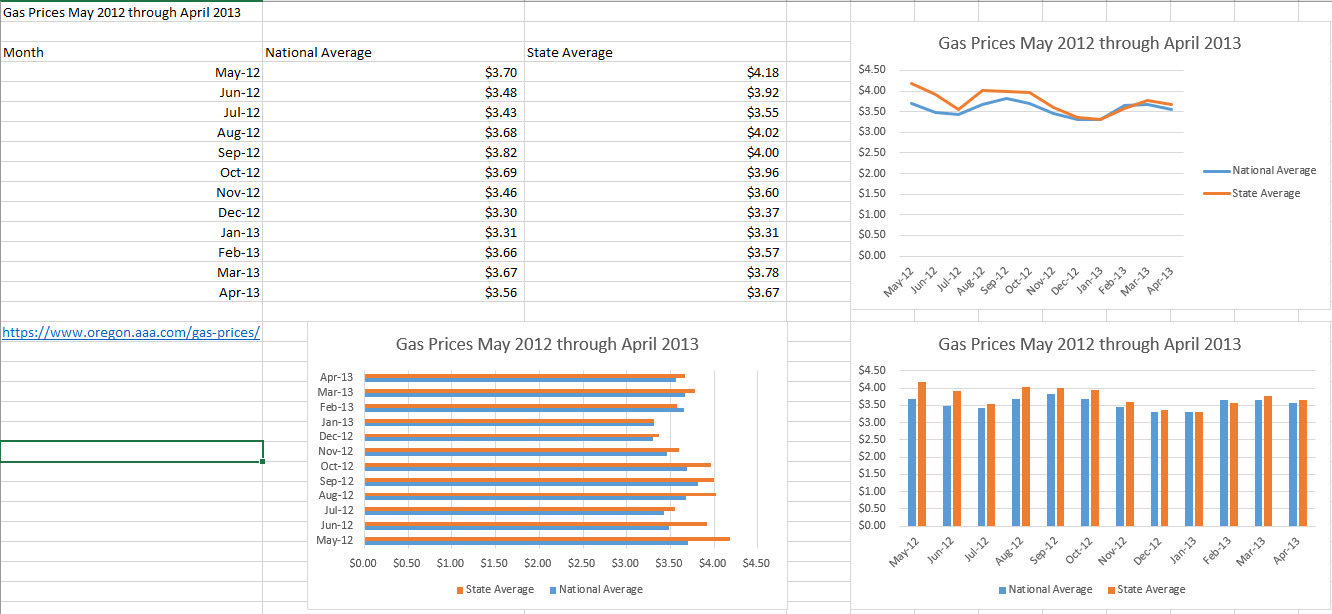
Perfect, and with that you're done! This is the file I ended up with at the end:
 rootbeer003:
Thank you very much ;3
Ultrilliam:
No prob bob
Join our real-time social learning platform and learn together with your friends!
 KBaby:
Verse 1 We left our names in the dust of the driveway Watched the old town shrink
KBaby:
Lyrics Generator Use AI to write the lyrics for a song. Suggested Genres: Pop Hip
KBaby:
Verse 1 We left our names in the dust of the driveway Watched the old town shrink
KBaby:
Lyrics Generator Use AI to write the lyrics for a song. Suggested Genres: Pop Hip

 aitexturegenerator:
How are you all handling AI-generated textures for 3D models and game assets without losing the hand-made feel? I've been doing a small stylized environment
aitexturegenerator:
How are you all handling AI-generated textures for 3D models and game assets without losing the hand-made feel? I've been doing a small stylized environment

 Demon25:
Woke up feeling like that girl and that dude well he still aint crap pluse the du
Demon25:
Woke up feeling like that girl and that dude well he still aint crap pluse the du
 playtsec:
how do I get rid of stress from teachers... I just feel like running out the classroom and leaving on my own.
playtsec:
how do I get rid of stress from teachers... I just feel like running out the classroom and leaving on my own.
 JohnnyLFowler0812:
What type of gamer would play something and then get off for a while. Why not sta
JohnnyLFowler0812:
Which is better? Metallica Rap Country R&B hiphop Medal Gospel Chill Which 3 opti
JohnnyLFowler0812:
What type of gamer would play something and then get off for a while. Why not sta
JohnnyLFowler0812:
Which is better? Metallica Rap Country R&B hiphop Medal Gospel Chill Which 3 opti